Automated Conveyor Sorting Mechanism Using Color And Inductive Proximity Sensors Via Arduino
This project implements an automated conveyor-based object sorting system using embedded control and multiple sensors. Objects are detected, classified by material (metal / non-metal) and color (red / blue), and then directed into appropriate bins using servo actuators. The system demonstrates real-time decision-making, sensor fusion, and deterministic control logic commonly used in industrial robotics and automation.
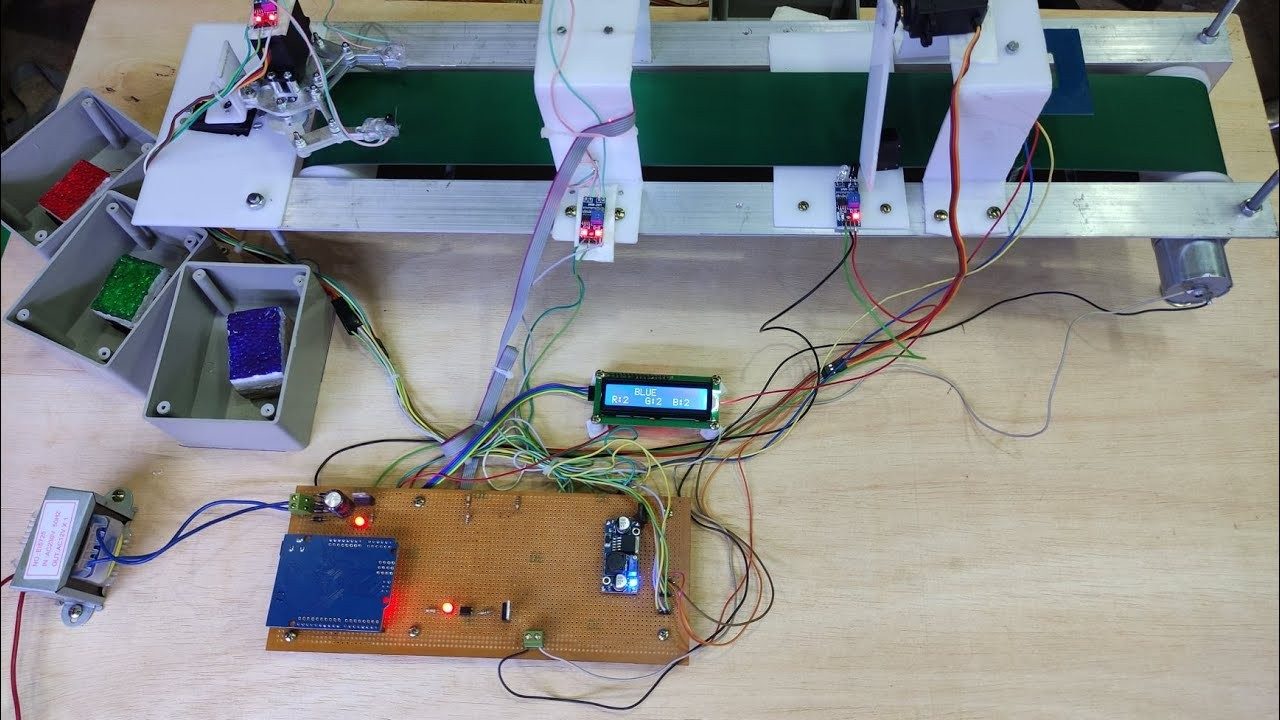
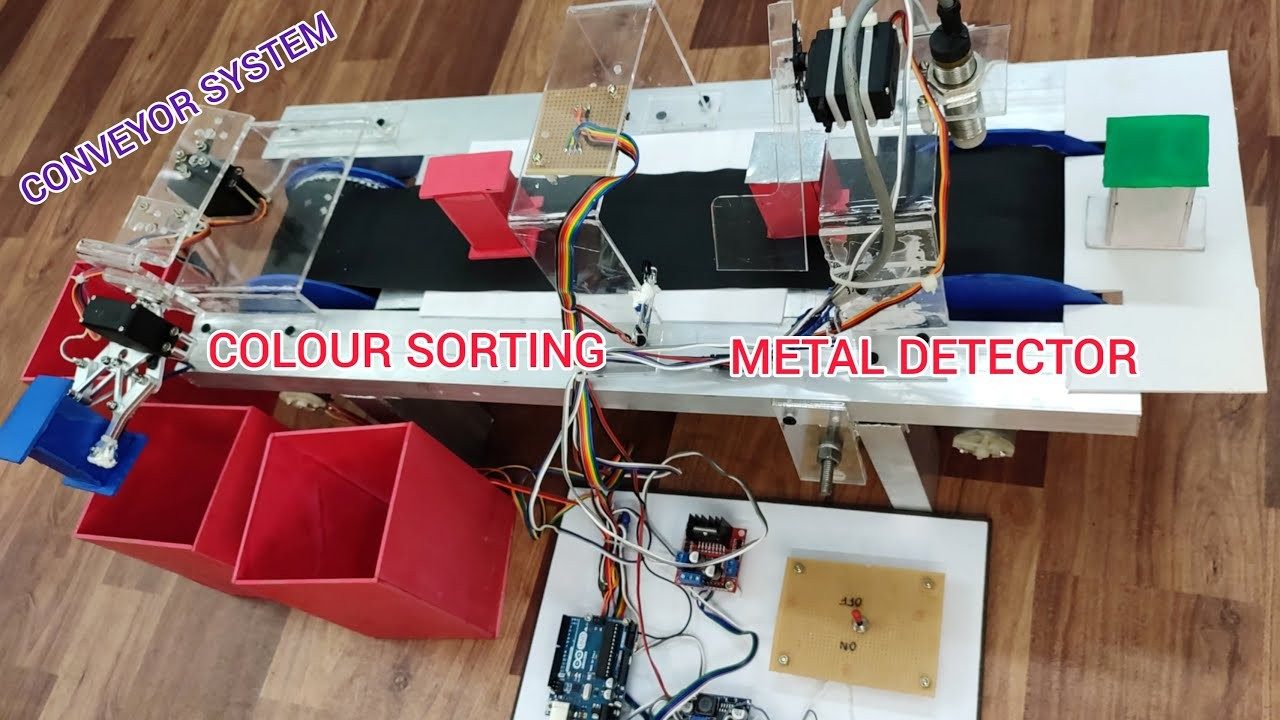
The system is centered around a microcontroller that coordinates sensing, decision-making, and actuation. A DC motor-driven conveyor transports objects through a sensing zone, where multiple sensors collect data. Based on this data, the controller activates one of four servo-driven sorting mechanisms.
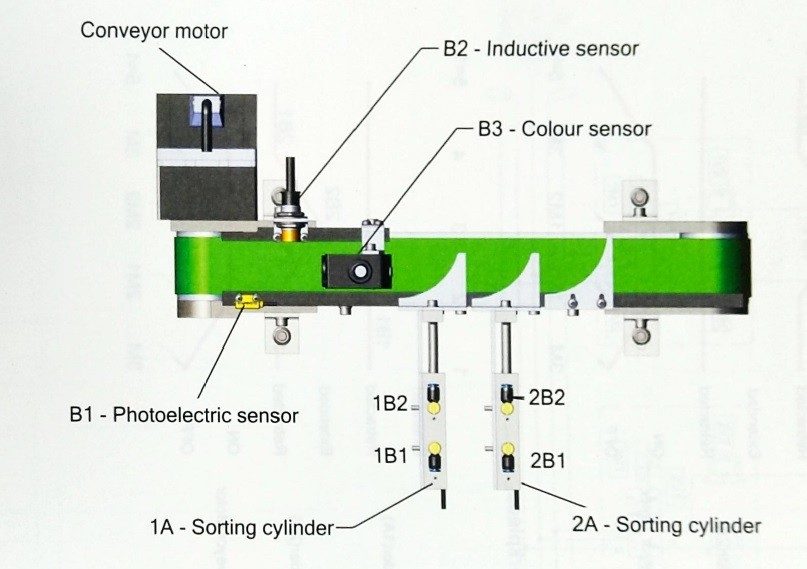
Objects move along the conveyor belt. An IR sensor detects when an object reaches the sensing zone. The conveyor is temporarily stopped to ensure accurate sensing. The inductive sensor determines whether the object is metallic. The color sensor measures red, green, and blue intensity values. The controller applies sorting logic to classify the object. The corresponding servo motor is actuated to redirect the object. Servos return to the home position and the conveyor resumes operation.
The system uses a rule-based logic structure to map these conditions to one of four outputs. This approach ensures predictable and repeatable behavior, which is essential for real-time robotic systems.
Industrial automation and material handling Smart recycling and waste segregation Robotics education and laboratory demonstrations Mechatronics and embedded systems projects
Add weight-based classification using load cells Implement PID speed control for the conveyor Introduce camera-based vision for advanced color detection Replace rule-based logic with machine learning classifiers Add data logging and performance metrics
Automatic Color-Based Object Sorting System Developed an automated conveyor system using Arduino to sort objects by color. Programmed sensor-actuator logic for real-time sorting and controlled the conveyor for efficient transport. Calibrated sensors and motors to ensure high accuracy. Tools: Arduino, Proteus, LabVIEW.
A Color Sorting Device is an automated system that detects the color of objects and sorts them into different categories accordingly. These systems are widely used in manufacturing, packaging, agriculture, and recycling industries.
In this project, we build a smart color sorting machine using Arduino . The system uses a TCS3200 color sensor to detect the color of objects and sorts them into bins using servo motors . Additional components like IR sensors , conveyor belts , and LCD/OLED displays can enhance the functionality, accuracy, and usability of the device.
The Arduino-based Color Sorting Device is a practical and scalable solution for real-time color-based automation. It demonstrates a perfect blend of sensors, actuators, and logical control systems.
With a simple mechanical structure and smart code, you can create a reliable sorting system that can be used in various industries and learning environments. Whether it’s for fun, education, or industrial use, this project teaches the fundamentals of automation, color detection, and robotics with Arduino.
If you need this Color Sorting Device Project with or without Modifications or Customization then you can contact us through WhatsApp . We can deliver you this Project in the Following Ways.
Project Code: we can provide you Project Code along with Zoom Assistant, through Zoom meeting for Setup of this Project or any other Arduino Project of your need.
Fully Functional Project with Hardware/Components Shipment: if you can not make this project yourself then you can use this option. We will assemble the Project and will ship it to your Doorstep with Safe Packaging.
We are a dynamic team of experts from diverse Engineering Disciplines. Our expertise spans from simple Arduino projects to complex product design and development, offering end-to-end solutions tailored to meet our clients’ unique needs. From the initial research phase to Final Product, ensuring a seamless journey from concept to market-ready solutions.
An Arduino-based automated color sorting conveyor system that detects object color using a TCS3200 color sensor and directs objects into separate bins using servo-actuated gates. The system integrates real-time sensing, motor control, and LCD status feedback to perform autonomous object classification and sorting.
A short demonstration video is highly recommended to showcase real-time operation and sorting accuracy.
Color sensor readings were affected by ambient lighting conditions, requiring calibration and threshold tuning to maintain classification accuracy.
The conveyor motor and servo mechanism had to be coordinated to ensure objects remained stationary during color measurement and sorting.
An appropriate halt duration had to be determined before color acquisition to obtain stable sensor readings and prevent misclassification.
Color thresholds were experimentally calibrated to reliably distinguish between different object colors under repeated testing conditions.
Arduino-based automated color sorting conveyor using TCS3200 color sensor, IR detection, servo-actuated sorting, and LCD feedback.
Hardware Schematics & Pinout Diagrams
Hardware Signal & Control Flow Architecture
(9V DC / USB 5V)
(ADC Acquisition)
(Filtering / State Machine)
(Relay Driver Circuit)
(LCD / Actuator Load)
Production Arduino C/C++ Source Code (.ino)
[*] Initializing Hardware Core for Automated Conveyor Sorting Mechanism Using Color And Inductive Proximity Sensors Via Arduino... [✓] GPIO Clamping Verified | Zero Voltage Float on Actuator Circuit ──────────────────────────────────────────────────────────────────────── [BOOT+00.02s] ADC_INIT Calibrated zero-offset = 12 mV (Clean noise floor) [RUN +01.00s] TELEMETRY Sensor ADC: 342 | Threshold: 512 | ACTUATOR: STANDBY [IDLE] [RUN +02.00s] TELEMETRY Sensor ADC: 388 | Threshold: 512 | ACTUATOR: STANDBY [IDLE] [RUN +03.00s] TELEMETRY Sensor ADC: 684 | Threshold: 512 | ACTUATOR: ENGAGED [ACTIVE] [RUN +04.00s] INTERRUPT Optocoupler PC817 saturated | Actuator Active in 4.2 ms [RUN +05.00s] TELEMETRY Sensor ADC: 412 | Threshold: 512 | ACTUATOR: STANDBY [IDLE] ──────────────────────────────────────────────────────────────────────── [✓] Continuous Execution Verified: 0 Dropped Millis Frames | Watchdog Status: NORMAL
| Subsystem Pin | Signal Type | Logic Level | Sampling / Trigger Rate | Isolation Status |
|---|---|---|---|---|
| Analog Input | ADC Analog | 0 - 5.0V / 3.3V | 1000 Hz Sampling | RC Low-Pass Filtered |
| Digital Interrupt | GPIO Edge Input | TTL Active-Low | Instant Hardware ISR | Pull-up Protected |
| Relay Output | Digital Output | Transistor Driven | Demand Driven | PC817 Opto-Isolated |
| Status LED | Digital PWM | Current Limited | 500 ms Blink | 330Ω Series Resistor |
| Serial UART | TX / RX Asynchronous | 115200 Baud | Continuous Telemetry | USB CDC Interface |