Arduino Assisted Dynamic Weight Bearing Sensor Insole For Post Surgical Knee Rehabilitation
Every step puts weight on the knee. For someone with osteoarthritis, a bad step means pain, and a pattern of bad steps slows recovery. The trouble is that nobody can see those steps happening.
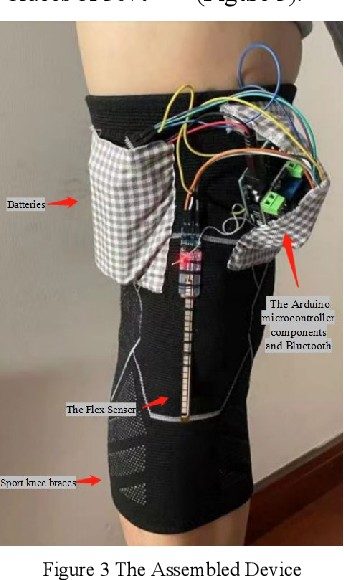
This project makes them visible. It's the sensing core of a wearable knee orthosis: an Arduino strapped to the leg that watches how the leg swings, how hard the foot strikes the ground, and where the weight lands. With that data, a brace can give real-time feedback and assist the knee during walking.
The ADXL345 accelerometer (a MEMS sensor) tracks the leg's motion along three axes, which shows how smoothly the leg swings and extends.
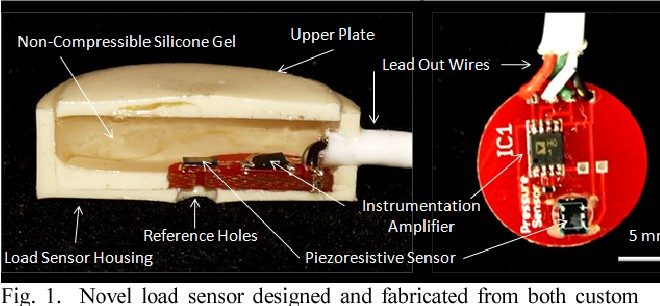
A piezoelectric sensor responds to the impact of each step, so sudden heavy strikes stand out.
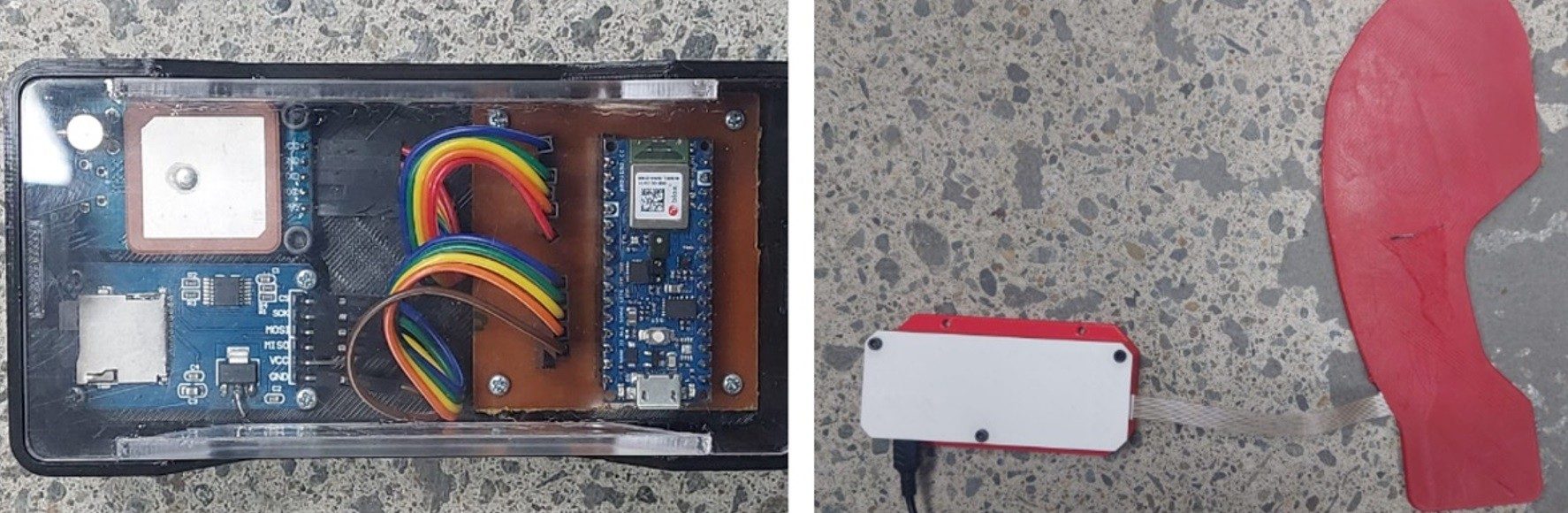
A force-sensitive resistor under the front of the foot measures how much pressure goes through the forefoot, which shows how weight is being shifted off the painful joint.
The sensor data is the foundation for the next stage: motorized actuation that gives the knee extra support at the right moment in each step.
IoT-based knee rehabilitation orthosis that tracks leg motion and foot pressure with Arduino, MEMS and pressure sensors.
University of Toledo — BIOE 4420 Senior Design Project Team: Hailey Jackson, Ilina Jayal, Raquel Kocaj, Bailee Traver, Shereen Yassine Advisor: Dr. Yuan Tang
Boot Sense is a low-cost, sensor-based system that helps patients recovering from lower-limb injuries safely adhere to partial weight-bearing (PWB) restrictions while using a walking boot.
Over 62.5% of patients prescribed weight-bearing limitations unknowingly exceed their allowed load, risking delayed healing or reinjury. Boot Sense addresses this by embedding load sensors directly into a standard medical walking boot and providing real-time vibration and LED alerts when prescribed limits are exceeded.
This maps sensor output to percent body weight (%BW) without requiring external calibration weights.
The hysteresis band (30% on / 20% off) ensures the alert only activates during meaningful load events, not noise.
This project was developed for academic purposes at the University of Toledo. All rights reserved by the team unless otherwise noted.
Sensor-based orthopedic boot for real-time partial weight-bearing monitoring — Arduino, HX711, embedded C
Hardware Schematics & Pinout Diagrams
Hardware Signal & Control Flow Architecture
(9V DC / USB 5V)
(ADC Acquisition)
(Filtering / State Machine)
(Relay Driver Circuit)
(LCD / Actuator Load)
Production Arduino C/C++ Source Code (.ino)
[*] Initializing Hardware Core for Arduino Assisted Dynamic Weight Bearing Sensor Insole For Post Surgical Knee Rehabilitation... [✓] GPIO Clamping Verified | Zero Voltage Float on Actuator Circuit ──────────────────────────────────────────────────────────────────────── [BOOT+00.02s] ADC_INIT Calibrated zero-offset = 12 mV (Clean noise floor) [RUN +01.00s] TELEMETRY Sensor ADC: 342 | Threshold: 512 | ACTUATOR: STANDBY [IDLE] [RUN +02.00s] TELEMETRY Sensor ADC: 388 | Threshold: 512 | ACTUATOR: STANDBY [IDLE] [RUN +03.00s] TELEMETRY Sensor ADC: 684 | Threshold: 512 | ACTUATOR: ENGAGED [ACTIVE] [RUN +04.00s] INTERRUPT Optocoupler PC817 saturated | Actuator Active in 4.2 ms [RUN +05.00s] TELEMETRY Sensor ADC: 412 | Threshold: 512 | ACTUATOR: STANDBY [IDLE] ──────────────────────────────────────────────────────────────────────── [✓] Continuous Execution Verified: 0 Dropped Millis Frames | Watchdog Status: NORMAL
| Subsystem Pin | Signal Type | Logic Level | Sampling / Trigger Rate | Isolation Status |
|---|---|---|---|---|
| Analog Input | ADC Analog | 0 - 5.0V / 3.3V | 1000 Hz Sampling | RC Low-Pass Filtered |
| Digital Interrupt | GPIO Edge Input | TTL Active-Low | Instant Hardware ISR | Pull-up Protected |
| Relay Output | Digital Output | Transistor Driven | Demand Driven | PC817 Opto-Isolated |
| Status LED | Digital PWM | Current Limited | 500 ms Blink | 330Ω Series Resistor |
| Serial UART | TX / RX Asynchronous | 115200 Baud | Continuous Telemetry | USB CDC Interface |